
 By
By 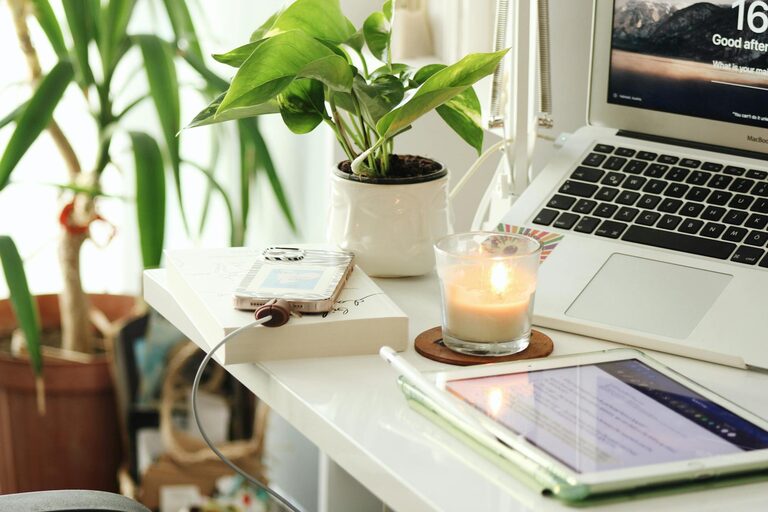
Working from home has become a common part of many people’s routines. Whether you’re a full-time remote worker or occasionally working from home, having a dedicated and productive workspace can make a big difference in your efficiency and well-being. Creating a home office environment that supports your work habits helps minimize distractions and keeps you motivated throughout the day.
This guide offers practical tips to help you design and maintain a productive home office that fits your lifestyle.
Choose the Right Location
Find a Dedicated Space
Having a specific area for work helps your brain switch into “work mode.” Choose a quiet spot in your home where you can focus without interruptions. If space is limited, even a small corner with a desk can work well.
Consider Natural Light
Set up your office near a window if possible. Natural light improves mood and alertness. Avoid glare on your computer screen by positioning your desk perpendicular to the window.
Invest in Comfortable and Ergonomic Furniture
Select a Good Desk and Chair
An ergonomic chair with lumbar support helps prevent back strain during long hours. Your desk should be spacious enough to hold your computer, documents, and other essentials comfortably.
Adjust for Proper Posture
Keep your feet flat on the floor and your knees at a right angle. Your computer monitor should be at eye level to avoid neck strain. Investing in a keyboard and mouse designed for ergonomic use can also reduce hand and wrist fatigue.
Organize Your Workspace Efficiently
Declutter Regularly
A tidy space reduces stress and distractions. Keep only frequently used items within reach, and store other materials neatly.
Use Storage Solutions
Shelves, drawers, and organizers help keep papers, cables, and office supplies in order. Labeling storage containers can make it easier to find what you need quickly.
Manage Cables
Use cable organizers or clips to prevent cords from tangling. A clutter-free desk surface creates a more inviting workspace.
Optimize Lighting and Ambiance
Use Task Lighting
In addition to natural light, consider adjustable desk lamps with warm light to reduce eye strain when working in the evenings.
Control Noise Levels
If noise is an issue, try noise-canceling headphones or white noise machines. Playing soft instrumental music can also help maintain concentration.
Establish Routines and Boundaries
Set Working Hours
Define clear start and finish times to help separate work from leisure. Creating a routine helps maintain productivity and work-life balance.
Take Regular Breaks
Short breaks every hour improve focus and reduce fatigue. Use techniques like the Pomodoro method—working 25 minutes followed by a 5-minute break.
Communicate Your Workspace Needs
If you share your home with family or roommates, let them know your working hours and workspace boundaries to minimize interruptions.
Use Technology Wisely
Reliable Internet Connection
A strong and stable internet connection is crucial for remote work. Position your workspace close to your router if possible or use a wired connection.
Tools for Productivity
Leverage productivity apps and tools like task managers, calendars, and time trackers to organize your workday effectively.
Backup and Security
Always back up important files and ensure your devices have updated security software to protect your data.
Personalize to Stay Motivated
Add Inspiring Elements
Decorate with plants, artwork, or personal items that make you feel comfortable and inspired.
Maintain Good Air Quality
Keep your workspace fresh with proper ventilation or an air purifier to maintain energy levels.
Conclusion
Creating a productive home office environment doesn’t have to be complicated or costly. By choosing the right location, investing in ergonomic furniture, organizing your space, managing lighting and noise, and setting clear routines, you can boost your productivity and job satisfaction. Remember to personalize your workspace to keep motivation high and make working from home a positive experience.
With these tips, you’ll be well on your way to designing a home office that supports your best work every day.